
After a release, the API still returns HTTP 200, but users report slower responses. Finding the cause means comparing metrics, logs and traces. CloudWatch Omni brings these steps into an application-focused workspace, with an AI assistant that queries the available telemetry.
What Omni adds
AWS announced general availability on 23 September 2026. Omni offers a dedicated web experience with team sign-in, application context and AI-assisted exploration. CloudWatch continues to provide the underlying data platform. AWS announcement.
Its application map links services and dependencies using available telemetry. Good OpenTelemetry attributes, especially service.name and service.namespace, make that context useful. A missing relationship can also mean missing instrumentation. Application map.
Ask why a service is slow: the assistant can query signals, show the query it ran and return evidence to inspect. It can also help compose dashboards. Its findings still require verification. Omni assistant.
The difference from classic CloudWatch
| Aspect | Existing CloudWatch workflows | Omni workflow |
|---|---|---|
| Starting point | Console views, dashboards and queries | Team space with application context |
| Investigation | Navigate the relevant metrics, logs and traces | Explore signals and ask contextual questions together |
| Data foundation | CloudWatch ingestion and storage | Reads the CloudWatch telemetry configured for the space |
| Operational scope | Existing alarms, APIs and dashboards remain available | Adds its own alerts, threads and investigation paths |
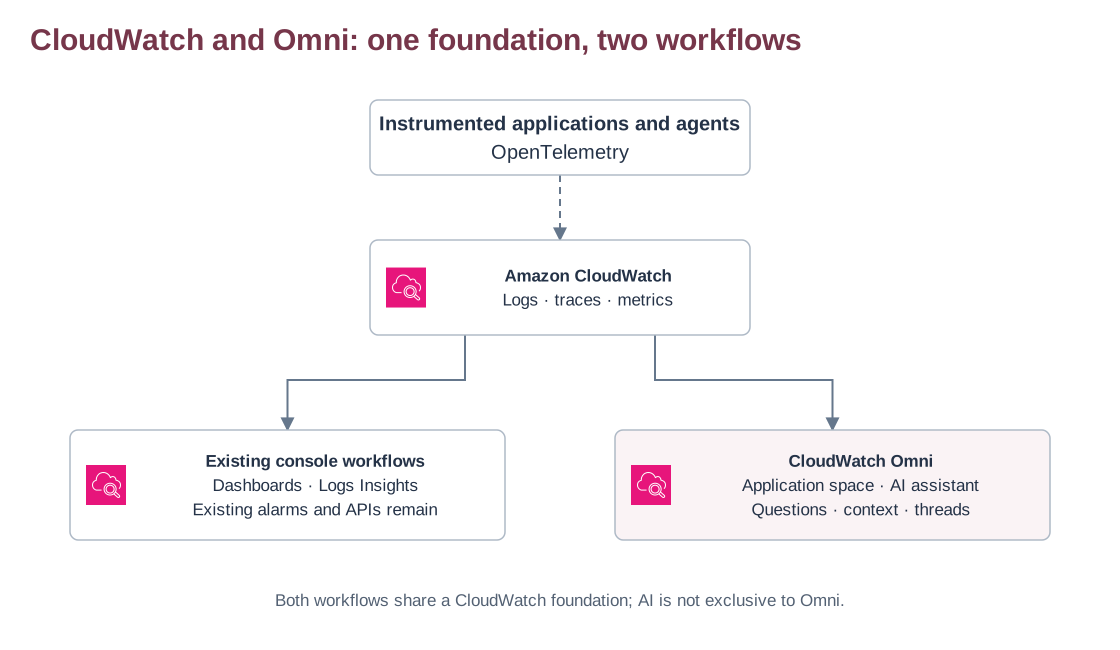
AI and correlation are also available in other CloudWatch tools. Omni adds an investigation workspace; existing dashboards and alarms remain available. A space is scoped to an account and Region. Cross-account or cross-Region visibility still requires CloudWatch centralization configuration. Relationship to CloudWatch.
Use cases for Cloud and DevOps teams
A regression after deployment. Compare the release window with HTTP latency and PostgreSQL client spans. Ask which dependency accounts for the additional time, then check the trace and database evidence before deciding on a rollback.
An incident across services. For an instrumented ECS or EKS application, use the map to identify affected dependencies and organize the investigation around the service and time window.
An AI agent returning poor answers. Response quality needs more than a successful HTTP status. Omni supports agent traces and evaluations; these can help compare quality, latency and tool calls. AgentCore Evaluations provides the evaluators. Agent observability.
A realistic investigation flow
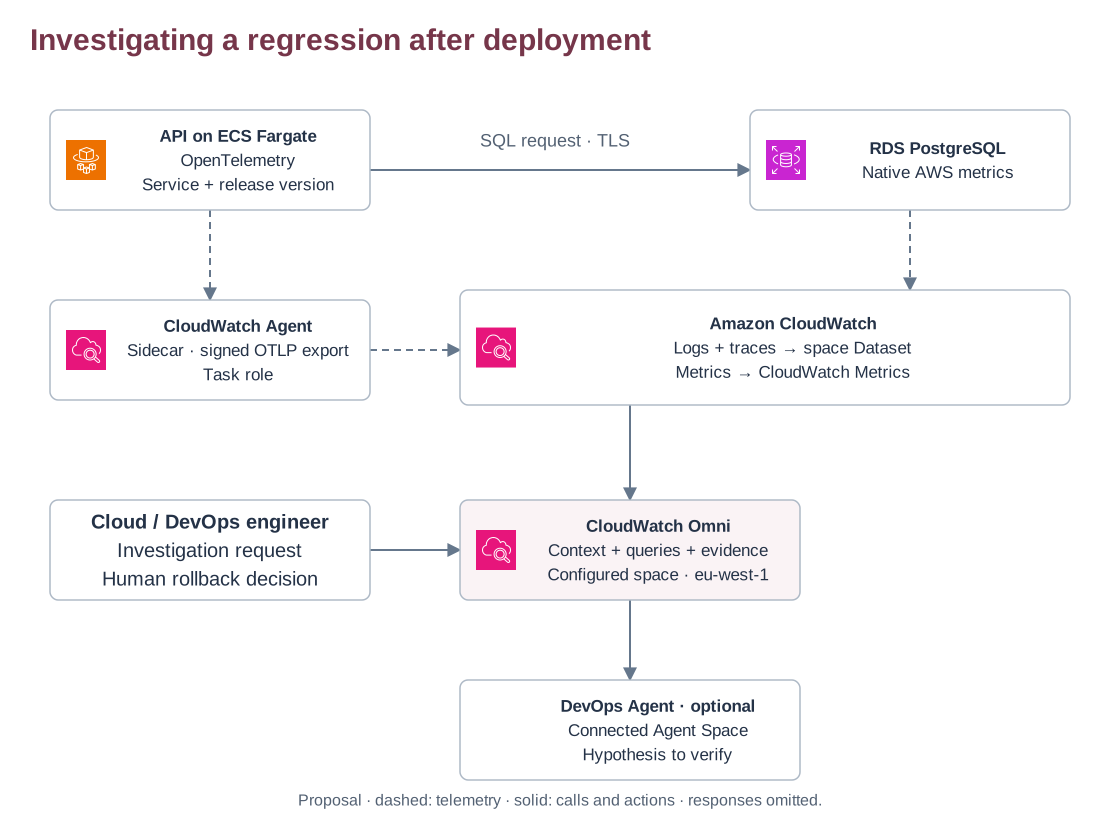
In this proposed staging example, an instrumented Fargate API calls RDS PostgreSQL. A CloudWatch Agent sidecar exports application telemetry with authorized role credentials. Logs and traces are forwarded into the space’s Dataset; metrics are queried from CloudWatch Metrics. Transaction Search must be enabled for traces. Telemetry path.
A person selects the release window and asks for an investigation. Native DevOps Agent investigations require a connected Agent Space. An Omni alert does not automatically start an investigation when it fires. Keep the deployment or rollback decision with the operator in this experiment. Investigation integration.
What this changes day to day
Build: establish consistent service names, instrument important dependencies and record the release version. This gives investigations a dependable starting point.
Run: use the assistant to find evidence, then inspect its queries and traces. Validate a suspected cause against independent signals and the application’s behavior after remediation. The assistant uses the user’s telemetry permissions and can be wrong. Permissions and limitations.
Platform ownership: configure space access, telemetry scope and retention. Keep sensitive data out of logs and evaluate the total ingestion, storage and evaluation cost before expanding the rollout. A known staging regression makes a useful first test, with the hypothesis and expected evidence defined in advance.
Deployment, rollback and cleanup instructions remain in the detailed lab, with a downloadable POC starter. The lab is a proposal; no deployment, benchmark or MTTR improvement is claimed here.
Cloud, DevOps and AI agents. The Kloud journal.
Back to the journal